Running a landscaping business means constantly looking for new leads, but not all advertising methods bring the right customers. Google Local Service Ads (LSAs) put your business in front of homeowners actively searching for landscapers—and you only pay when they contact you.
But just setting up an ad isn’t enough. If your LSA isn’t optimized, you might rank lower, miss out on potential leads, or waste money on low-quality inquiries.
This guide walks you through proven strategies to improve your LSAs, helping you attract more high-value landscaping customers while making the most of your budget.
What Are Google Service Ads?
Google Local Service Ads (LSAs) are a pay-per-lead advertising option designed for service-based businesses. Unlike traditional Google Ads, LSAs appear at the very top of search results and only charge you when a potential customer calls or messages through the ad.
These ads highlight key business details like ratings, reviews, and service areas, making it easier for homeowners to find and trust local landscapers. LSAs also come with Google’s verification badges, adding credibility and helping businesses stand out from competitors.
How Do Google Local Service Ads Work?
Before optimizing your LSAs, it’s important to understand how they function. Google LSAs appear at the top of search results when users look for local services. They show key business details, including:
- Business name and contact information
- Google Screened or Google Guaranteed badge (if eligible)
- Ratings and reviews
- Service areas
- Business hours
When a customer contacts you through your LSA, you pay a set price per lead (instead of per click, like with Google Ads). Leads may come in the form of phone calls, messages, or appointment requests.
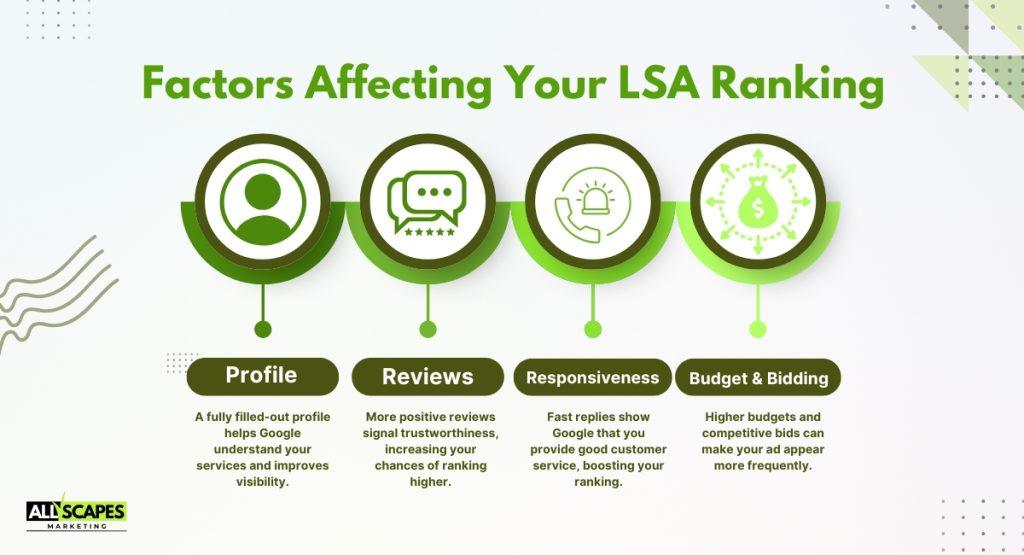
Google determines your LSA ranking based on several factors:
- Your business profile completeness
- The number and quality of reviews
- Your responsiveness to leads
- Your budget and bidding strategy
With this in mind, let’s break down how to optimize your Google Local Service Ads for better performance.
How To Optimize Google Local Service Ads
Google ranks LSAs based on relevance and trustworthiness. A fully completed profile ensures your ad has the best chance of appearing at the top of search results.
Here are the key profile elements to optimize:
- Business Name & Contact Information
Ensure your business name is consistent across all platforms (Google Business Profile, website, and social media). - Service Areas
Select cities and zip codes where your landscaping services are available. If you aren’t getting enough leads, consider expanding your coverage area to nearby locations. - Services Offered
Google allows you to select specific services (e.g., lawn maintenance, hardscaping, irrigation installation). Make sure your selections reflect everything your business offers. - Business License & Insurance
Google requires landscaping businesses to provide proof of licensing and insurance. Keep these updated to avoid ad suspension. - High-Quality Business Photos
Upload professional images of your landscaping work to showcase your expertise. Businesses with visual proof of work tend to get more inquiries.
Get More Reviews to Improve Your Ranking
Reviews play a major role in determining how high your LSAs rank. Google prioritizes businesses with:
✅ A higher number of reviews
✅ A higher average rating
✅ Recent and frequent customer reviews
Here’s how to get more reviews on LSAs:
- Ask for reviews immediately after completing a job.
The best time to ask is right after the service when the customer is most satisfied. - Use Google’s review request feature.
LSAs allow you to send review requests directly through your dashboard. - Respond to all reviews.
A business that engages with customers (even on negative reviews) appears more trustworthy. - Offer an incentive for reviews (but stay compliant).
While Google prohibits paid reviews, you can encourage feedback by offering a small discount on the next service.
Set the Right Budget and Bidding Strategy
LSAs operate on a cost-per-lead basis. Unlike traditional PPC campaigns, you don’t bid on keywords, but you set a weekly budget that controls how often your ad appears.
Here’s how you can optimize your LSA budget:
- Increase your budget during peak seasons
Demand for landscaping services rises in spring and summer. Boosting your budget during these months can result in more leads. - Adjust your bid per lead
If you’re not getting enough calls, increasing your max per-lead bid can improve visibility. - Monitor your return on investment (ROI)
If your cost per lead is too high compared to your average job value, adjust your settings to focus on high-converting locations.
Improve Your Response Time for Higher Rankings
Google prioritizes businesses that respond to leads quickly. Slow response times can cause your ad rank to drop, leading to fewer leads.
Check out these best practices for fast response times:
- Answer calls immediately
LSAs track your missed calls and response rates. If you don’t pick up, Google may reduce your ranking. - Reply to messages as soon as possible
Customers often message multiple landscapers at once. The faster you reply, the more likely you are to secure the job. - Enable notifications
Turn on email and SMS alerts for new inquiries so you never miss a lead. - Assign a team member to handle inquiries
If you’re on the field, make sure someone is available to answer calls and respond to messages.
Adjust Your Business Hours for Better Visibility
Your availability settings affect when your ad appears. If your competitors are closed on weekends or evenings, staying open during these hours can give you an edge.
Here are some tips for optimizing business hours:
- Extend business hours during peak seasons
Being available later in the evening or on weekends can increase lead volume. - Consider 24/7 availability (if feasible)
Some landscapers offer emergency services (e.g., storm damage cleanup). If you provide these, mark yourself as available around the clock. - Test different time slots
Check your LSA reports to see when leads are most active, and adjust your schedule accordingly.
Track Your Performance and Make Data-Driven Adjustments
Google provides insights and reports on your LSAs. Regularly reviewing these metrics can help you refine your strategy and improve results.
Here are the key metrics to track:
- Total leads received
- Lead quality (are they converting into paying customers?)
- Cost per lead (is it profitable?)
- Response time and missed call rate
Improve based on performance by doing this:
- If leads are too expensive → Lower your per-lead bid or refine your service areas.
- If you’re not getting enough leads → Expand your service area or increase your budget.
- If you’re ranking low → Improve your review count, response time, and budget.
Final Thoughts
Google Local Service Ads can be a game-changer for landscaping businesses, but only if they’re optimized correctly. A poorly managed LSA can waste your budget, while a well-optimized one can generate consistent, high-quality leads.
By completing your profile, collecting more reviews, setting the right budget, and improving response times, you can maximize your ad performance and grow your landscaping business.
Need better results from your Google Local Service Ads? All Scapes Marketing helps landscapers fine-tune their LSAs for improved visibility and lead quality. Contact us to refine your strategy and make the most of your ad budget.